

| Updated: January 2007 |
|
|
|
Text driver |
||
|
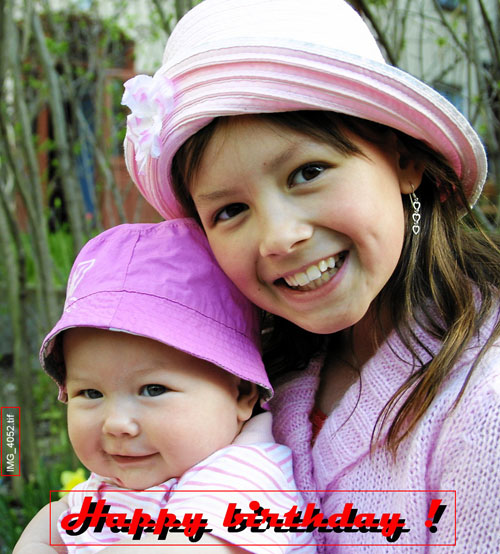
There are currently no variables offered with the Text plugin field. With this Frontline plugin, you may add multiple dynamic text fields to be placed on your images. |
||
 |
||
|
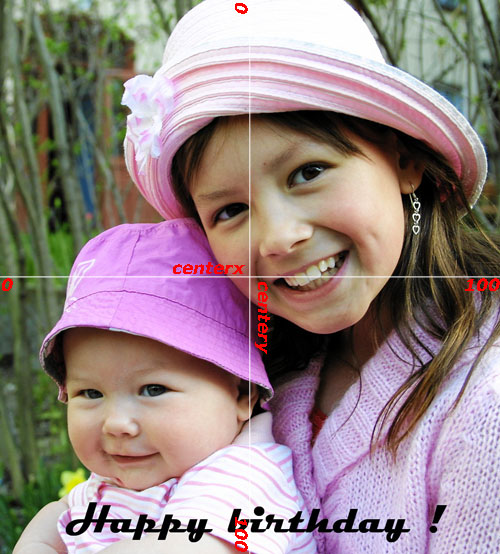
1. Define the location of the text field within the Frontline/Codes/parameters field: |
||
 |
||
 |
||
|
A. centerx=(%) Represents the location of the horizontal text field in percentage (i.e., 51%). B. centery=(%) Represents the location of the vertical text field in percentage (i.e., 94%). |
||
 |
Text field location variables are defined using percentage in relation to the size of the entire image to allow the user
the most amount of flexibility with various print sizes / formats. |
|
|
2. Define the text field parameters within the Frontline/Codes/parameters field: |
||
 |
||
|
C. width=(%) Represents the width area of the text field (i.e., 100%). D. height=(%) Represents the height area of the text field (i.e., 10%). |
||
|
3. Define the text font parameters within the Frontline/Codes/parameters field: |
||
|
E. font=(name of font) Defines the font style to be used for the text (i.e., Magneto). |
||
 |
In order for Frontline to be able to access a font, it must first be installed and
accessible on the computer Frontline is operating from. |
|
|
F. type=(normal/italic/bold/bolditalic) Defines the font type (i.e., bold). G. fontheight=(%) Represents the height of the font within the font field (i.e., 8%). H. color=(hexadecimal color) Represents the color of the font (i.e., #000000). I. halign=(left/center/right) Represents the horizontal alignment of the text (i.e., center). J. valign=(top/middle/bottom) Represents the vertical alignment of the text (i.e., middle). |
||
|
4. Define the text parameters within the Frontline/Codes/parameters field: |
||
|
K. text=(text or variable) Variable or text to be placed on the image (i.e., Happy Birthday !). 1. %filenx=(name of file without name extension) 2. %file=(name of file with extension) 3. %c=(customer name) 4. %i=(customer ID) 5. %s=(sort number or name) 6. %r=(rest number as in second field within SP scanner) 7. %o=(info) 8. %Y=(4 digit year) 9. %y=(2 digit year) 10. %m=(2 digit month) 11. %b=(3 letter month abbreviation) 12. %B=(full month name) 13. %a=(3 letter weekday abbreviation) 14. %A=(full weekday name) 15. %d=(2 digit day) 16. %H=(24 hour time) 17. %I=(12 hour time) 18. %p=(AM/PM) 19. %n=(number of pages/images used) 20. %f=(frame number / DX code) |
||
|
5. Optional additional text module parameters that may be entered within the Frontline/Codes/parameters field: |
||
 |
||
|
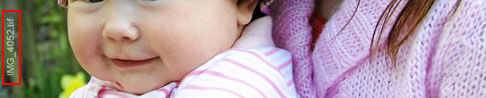
L. rotate=(degree of rotation) Defines the rotation of the text field (i.e., 90). M. alpha=(0-255) Defines the text alpha transparency (i.e., 100). |
||
 |
||
|
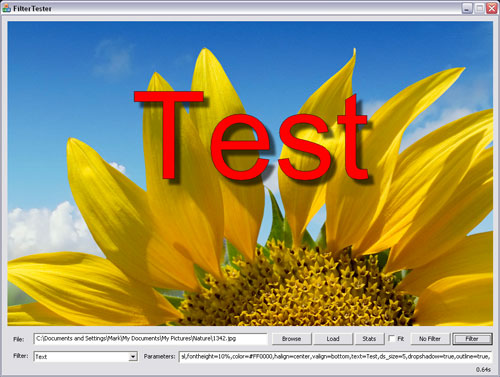
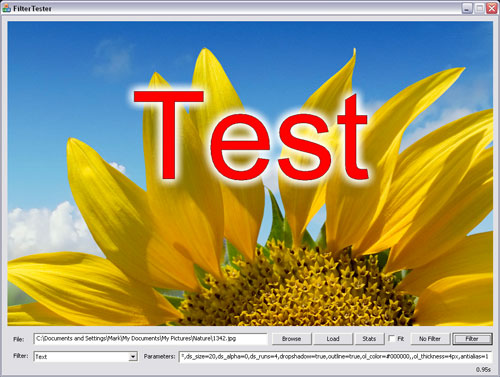
N. dropshadow=(true/false) Applies a drop shadow to the applicable text. O. ds_angle=(0-360, default=0) (starting at 45 degrees) Defines the angle of the text drop shadow. P. ds_color=(hexidecimal color) Defines the color of the drop shadow (i.e., ds_color=#000000). Q. ds_size=(%/px/mm) Defines the drop shadow size to the text (i.e., ds_size=5mm). R. ds_distance=(%/px/mm) Defines the drop shadow distance from the text (i.e., ds_distance=10mm). S. ds_alpha=(0-255) Defines the strength of the drop shadow transparentcy (i.e., ds_alpha=150). |
||
 |
||
|
T. ds_runs=(number) Number of times to apply the applicable text drop shadow (i.e., ds_runs=4). U. outline=(true/false) Applies an outline to the text. V. ol_color=(hexidecimal color) Defines the color of the outline (i.e., ol_color=#FF0000). W. ol_thickness=(%/px/mm) Defines the thickness of the text outline (i.e., ol_thickness=2px). X. antialias=(1-4, default=1) Increases the size of the text font by x4 (for antialias=2) and then scales down to the applicable size thereby smoothing the outline's effects. |
||
|
|
Increasing the anti-alias parameter higher than the default 1:1 ratio (i.e., 2:1 antialias=2) will increase the systems need for memory two fold to allow for the expansion
of the text in both height (x2) and width (x2). |
|